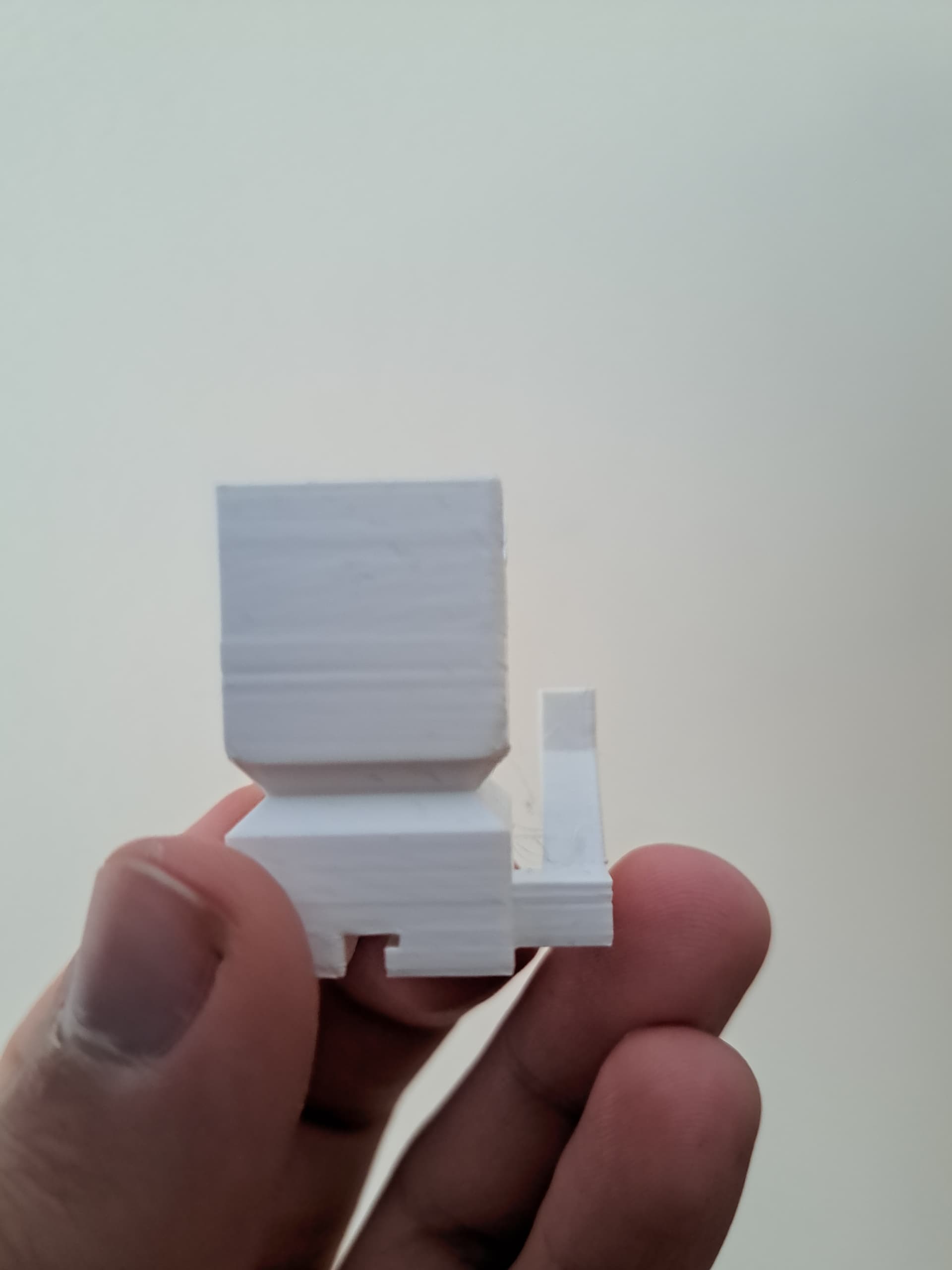
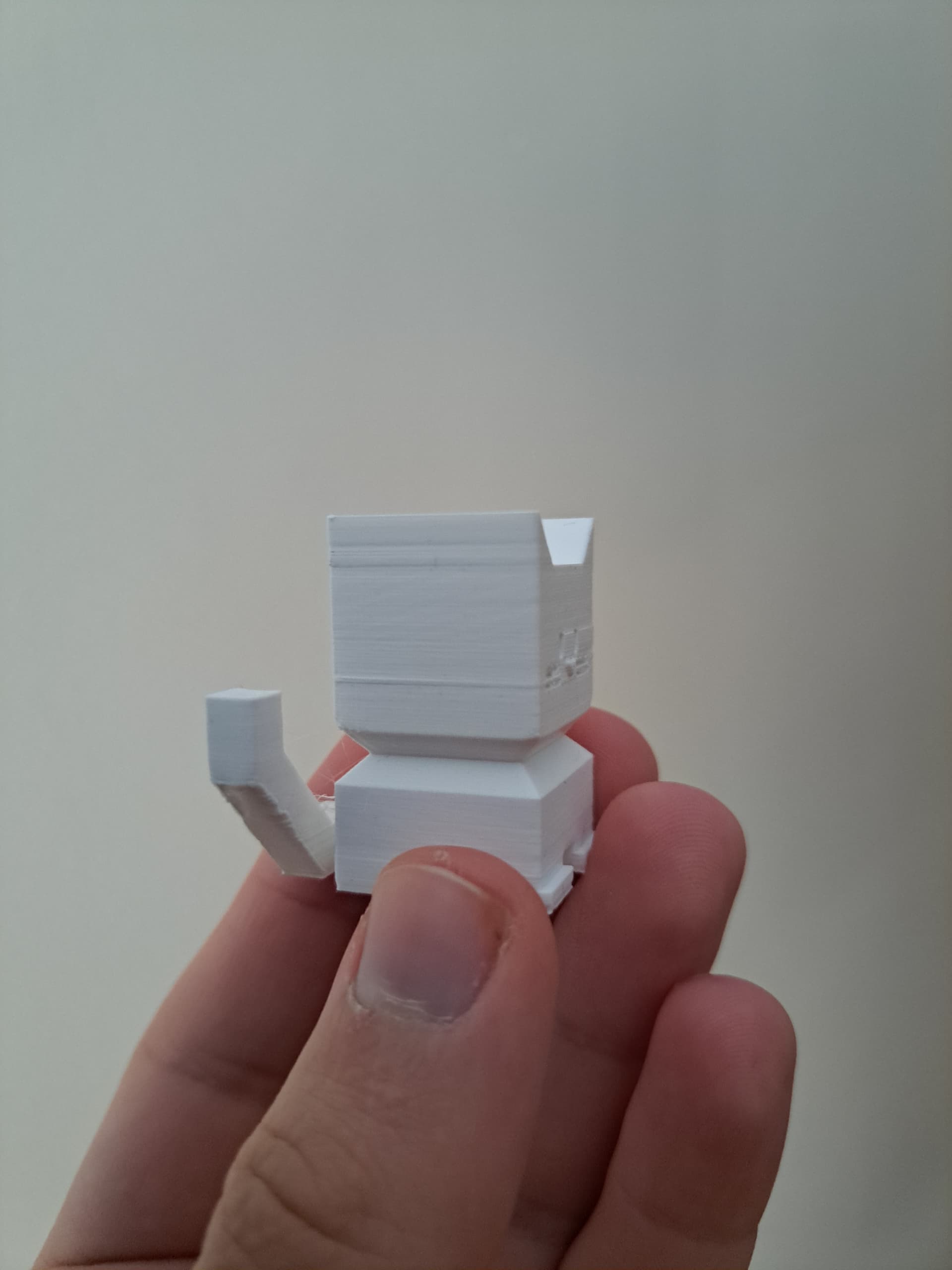
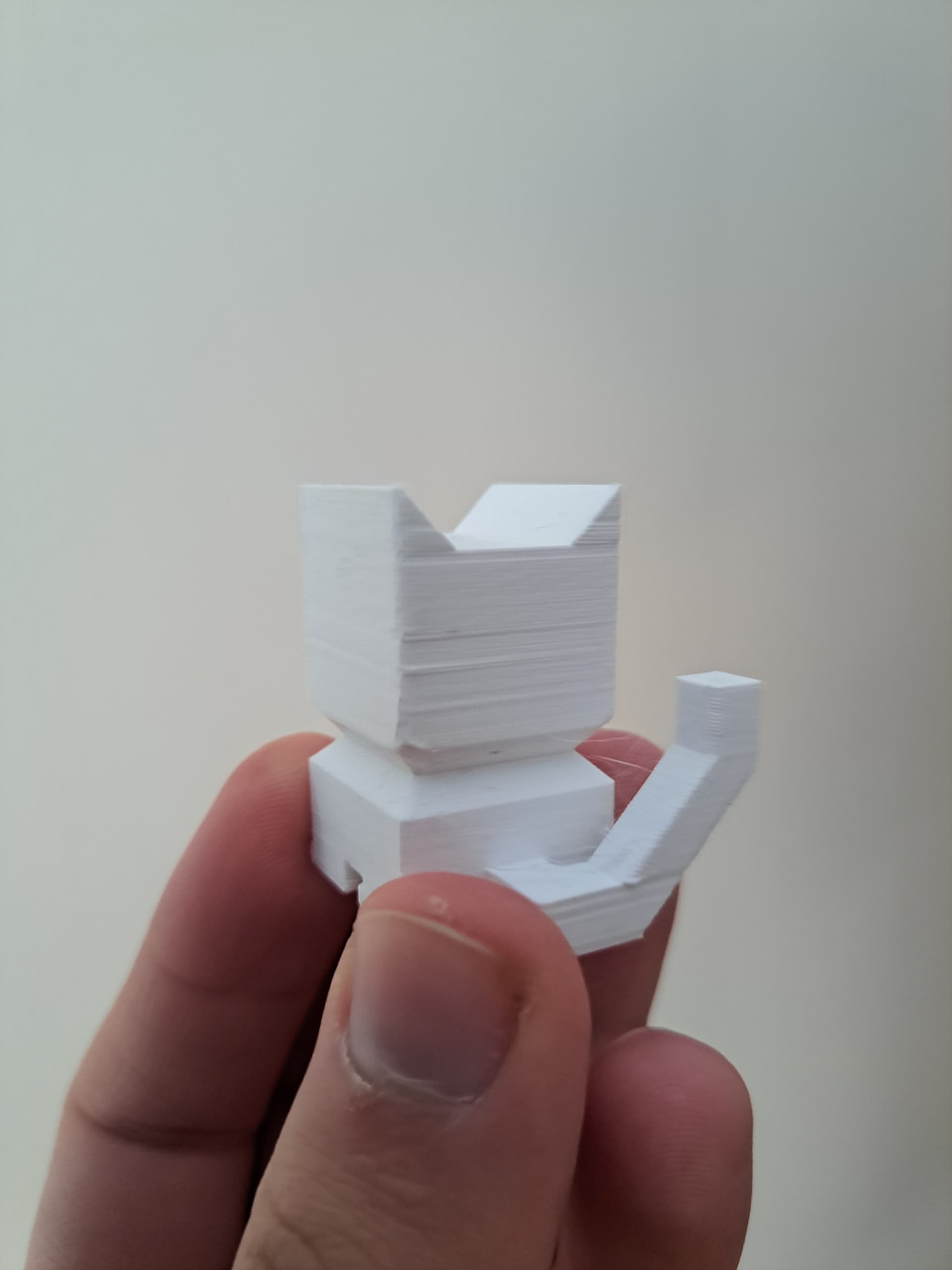
Here are examples of how my prints look. The layers are bad in the same spot(like layer shift on the right side) and just are uneven. Changing temps, extrusion amount did not help. I also tightened, loosened belts a bit(because there was some resistance) - same shit. The problem is quite old, I thought that it was fixed by changing extrusion motor(which had to be done) - problem still exists. I checked screws - everything is tight and there are no loose parts. I cleaned and lubricated x and y axis.
Any ideas to fix this? If nothing will help, then changing motors would be last resort.
Honestly sucks that most of my print time was spent on testing prints.
Edit - I printed with various plas and tried different settings too. It is 100% not a problem with slicer, since the bad layers show up the same. Not just usual layer shifts, but those layers are just not even/smooth like the first time I printed